Text Scramble / Glitch Effect
Typewriter-style text reveal with random character scrambling before settling on final text. Customizable scramble duration, character sets (alphanumeric, symbols, binary, custom), and triggers: on load, on hover, on scroll.
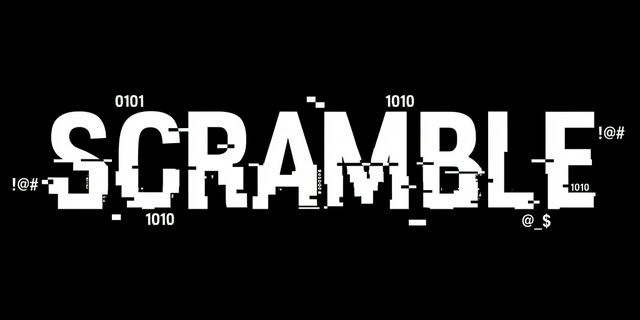
A modern text effect that reveals copy by scrambling random characters before each one locks into place—typewriter meets glitch. Fully configurable: scramble duration, character sets, and when it runs (on load, on hover, or when the element scrolls into view).
Features
- Typewriter + scramble — Characters resolve left-to-right while unrevealed positions show random glyphs from a chosen set.
- Customizable duration — Control total reveal time and how often the scrambling glyphs refresh for more or less chaos.
- Character sets —
alphanumeric,symbols,binary, or a custom string (e.g.data-scramble-charset="custom"withdata-scramble-custom="!@#"). - Trigger options — Run once on load, again every on hover, or when the block on scroll enters the viewport (Intersection Observer).
- Optional glitch styling — Light CSS (e.g.
text-shadowflicker) during scramble for extra edge.
HTML
Use a single element (e.g. span or h1) and data attributes. The element’s initial text is the final revealed text.
<!-- Runs once when the page loads -->
<h1 class="scramble-text" data-scramble data-scramble-trigger="load">
  Hello, World.
</h1>

<!-- Runs when the user hovers (resets on mouse leave) -->
<p class="scramble-text" data-scramble data-scramble-trigger="hover">
  Hover to unscramble.
</p>

<!-- Runs when the element scrolls into view -->
<h2 class="scramble-text" data-scramble data-scramble-trigger="scroll">
  Scroll to reveal.
</h2>
Options (data attributes)
| Attribute | Values | Description |
|---|---|---|
data-scramble-trigger | load | hover | scroll | When to run the effect. |
data-scramble-duration | number (ms) | Total time for full reveal. Default e.g. 2000. |
data-scramble-speed | number (ms) | Interval for redrawing scrambling chars. Default e.g. 40. |
data-scramble-charset | alphanumeric | symbols | binary | custom | Which characters to use while scrambling. |
data-scramble-custom | string | Custom charset when data-scramble-charset="custom". |
JavaScript (core idea)
Store the final string, then in a loop: for each index from 0 to length, show final text for indices < current, one random character at current, and random (or same) for the rest. Advance the current index on a timer; when current reaches length, clear the interval and set the text to the final string.
const CHARSETS = {
  alphanumeric: "ABCDEFGHIJKLMNOPQRSTUVWXYZabcdefghijklmnopqrstuvwxyz0123456789",
  symbols: "!@#$%^&*()_+-=[]{}|;:,.<>?",
  binary: "01",
};

function scrambleText(el, options = {}) {
  const final = (el.textContent || "").trim();
  const duration = options.duration ?? 2000;
  const speed = options.speed ?? 40;
  const charset = options.charset ?? CHARSETS.alphanumeric;
  const chars = charset.split("");

  let index = 0;
  const len = final.length;
  const step = Math.max(1, Math.ceil((len * speed) / duration));

  const tick = () => {
    let out = final.slice(0, index);
    for (let i = index; i < len; i++) {
      out += chars[Math.floor(Math.random() * chars.length)];
    }
    el.textContent = out;
    index += step;
    if (index < len) requestAnimationFrame(tick);
    else el.textContent = final;
  };
  requestAnimationFrame(tick);
}
Wire triggers: on load call scrambleText(el) once; on hover call it on mouseenter (and optionally reset text on mouseleave and run again next time); on scroll use IntersectionObserver and call scrambleText(entry.target) when isIntersecting.
CSS: optional glitch during scramble
Add a class while scrambling and remove it when done. Use a fast text-shadow or filter animation for a subtle glitch.
.scramble-text.scrambling {
  animation: glitch-flicker 0.08s steps(1) infinite;
}

@keyframes glitch-flicker {
  0%, 100% { filter: none; }
  50% { filter: contrast(1.1); opacity: 0.98; }
}
Resources
- Demo — Use the Demo button to see on load, on hover, and on scroll with different charsets and durations.
- Download — Use the Download button to get the full source (HTML, CSS, JS) for the text scramble / glitch effect.