Stardust Cursor Trail
A mesmerizing particle cursor trail that follows mouse movements with fading stars, sparkles, and dust. Features dynamic color cycling, multiple particle shapes, and smooth physics for a premium interactive experience.
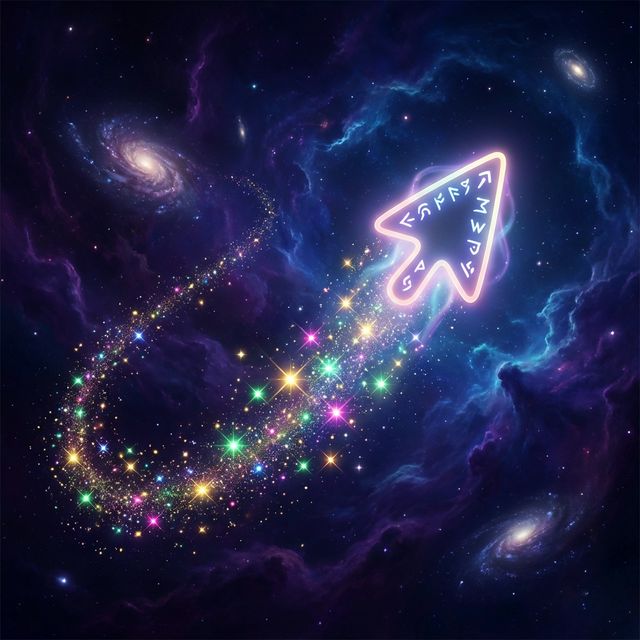
Elevate your website’s interactivity with this Stardust Cursor Trail. Unlike simple circle followers, this effect creates a magical trail of mixed particles (stars, sparkles, and dust) that burst from the cursor and gently fade away. It uses the HTML5 Canvas API for high performance, ensuring 60fps even with many particles.
HTML Structure
We need a single <canvas> element that sits on top of your content. We’ll set it to pointer-events: none so it doesn’t block clicks on your actual site elements.
<!-- Position fixed canvas for the cursor effect -->
<canvas id="stardust-canvas"></canvas>

<!-- Example content to show overlay behavior -->
<div class="content-demo">
  <h1>Hover anywhere</h1>
  <p>Move your mouse to see the magic happen.</p>
</div>
CSS Styling
The CSS ensures the canvas covers the entire viewport and ignores pointer events. We also add a dark gradient background for the demo to make the particles pop.
body {
  margin: 0;
  overflow: hidden;
  background: radial-gradient(circle at center, #1a1a2e 0%, #16213e 100%);
  font-family: 'Inter', system-ui, sans-serif;
  color: #fff;
}

#stardust-canvas {
  position: fixed;
  top: 0;
  left: 0;
  width: 100%;
  height: 100%;
  z-index: 9999; /* Ensure it's on top */
  pointer-events: none; /* Let clicks pass through */
}

.content-demo {
  position: absolute;
  top: 50%;
  left: 50%;
  transform: translate(-50%, -50%);
  text-align: center;
  z-index: 1;
  pointer-events: none;
}

h1 {
  font-size: 3rem;
  margin-bottom: 0.5rem;
  text-shadow: 0 4px 12px rgba(0,0,0,0.5);
}
JavaScript Implementation
This script manages the particle system. Key features:
- Multiple Shapes: Randomly selects between circles, stars, and sparkles.
- Color Cycling: A global hue variable rotates over time for a dynamic rainbow effect.
- Physics: Particles have velocity, shrink over time, and fade out.
const canvas = document.getElementById('stardust-canvas');
const ctx = canvas.getContext('2d');

let particles = [];
let hue = 0; // For rotating colors

// Handle resizing
function resizeCanvas() {
  canvas.width = window.innerWidth;
  canvas.height = window.innerHeight;
}
window.addEventListener('resize', resizeCanvas);
resizeCanvas();

const mouse = {
  x: undefined,
  y: undefined,
};

// Track mouse movement
window.addEventListener('mousemove', (event) => {
  mouse.x = event.x;
  mouse.y = event.y;

  // Spawn particles for a dense trail
  for (let i = 0; i < 3; i++) {
    particles.push(new Particle());
  }
});

// Burst on click
window.addEventListener('click', (event) => {
  mouse.x = event.x;
  mouse.y = event.y;
  // Spawn a larger burst of particles
  for (let i = 0; i < 15; i++) {
    particles.push(new Particle());
  }
});

// Particle Class
class Particle {
  constructor() {
    this.x = mouse.x;
    this.y = mouse.y;

    // Random size between 2 and 7
    this.size = Math.random() * 5 + 2;

    // Random velocity vector
    this.speedX = Math.random() * 2 - 1;
    this.speedY = Math.random() * 2 - 1;

    // Random color variant
    this.colorHue = hue + Math.random() * 20;

    // Choose shape
    const shapes = ['circle', 'star', 'sparkle'];
    this.shape = shapes[Math.floor(Math.random() * shapes.length)];

    // Rotation for stars/sparkles
    this.angle = Math.random() * 360;
    this.spin = Math.random() * 4 - 2;
  }

  update() {
    this.x += this.speedX;
    this.y += this.speedY;

    // Shrink
    if (this.size > 0.2) this.size -= 0.1;

    // Rotate
    this.angle += this.spin;
  }

  draw() {
    ctx.save();
    ctx.translate(this.x, this.y);
    ctx.rotate(this.angle * Math.PI / 180);
    // Use HSLA for potential opacity control if we wanted fade-out,
    // but shrinking size effectively acts as a fade-out visually.
    ctx.fillStyle = `hsl(${this.colorHue}, 100%, 50%)`;
    ctx.shadowBlur = 10;
    ctx.shadowColor = `hsl(${this.colorHue}, 100%, 50%)`;

    ctx.beginPath();
    if (this.shape === 'circle') {
      ctx.arc(0, 0, this.size, 0, Math.PI * 2);
    } else if (this.shape === 'star') {
      // Draw 5-point star
      for (let i = 0; i < 5; i++) {
        ctx.lineTo(Math.cos((18 + i * 72) * Math.PI / 180) * this.size,
                   Math.sin((18 + i * 72) * Math.PI / 180) * this.size);
        ctx.lineTo(Math.cos((54 + i * 72) * Math.PI / 180) * (this.size / 2),
                   Math.sin((54 + i * 72) * Math.PI / 180) * (this.size / 2));
      }
    } else if (this.shape === 'sparkle') {
      // Draw 4-point sparkle (diamond-like star)
       for (let i = 0; i < 4; i++) {
        ctx.lineTo(Math.cos((0 + i * 90) * Math.PI / 180) * this.size,
                   Math.sin((0 + i * 90) * Math.PI / 180) * this.size);
        ctx.lineTo(Math.cos((45 + i * 90) * Math.PI / 180) * (this.size / 5),
                   Math.sin((45 + i * 90) * Math.PI / 180) * (this.size / 5));
      }
    }
    ctx.fill();
    ctx.restore();
  }
}

function animate() {
  ctx.clearRect(0, 0, canvas.width, canvas.height);

  // Cycle hue
  hue += 2;

  // Handle particles
  for (let i = 0; i < particles.length; i++) {
    particles[i].update();
    particles[i].draw();

    // Remove tiny particles
    if (particles[i].size <= 0.3) {
      particles.splice(i, 1);
      i--;
    }
  }
  requestAnimationFrame(animate);
}

animate();